
Abandonment / End of Life
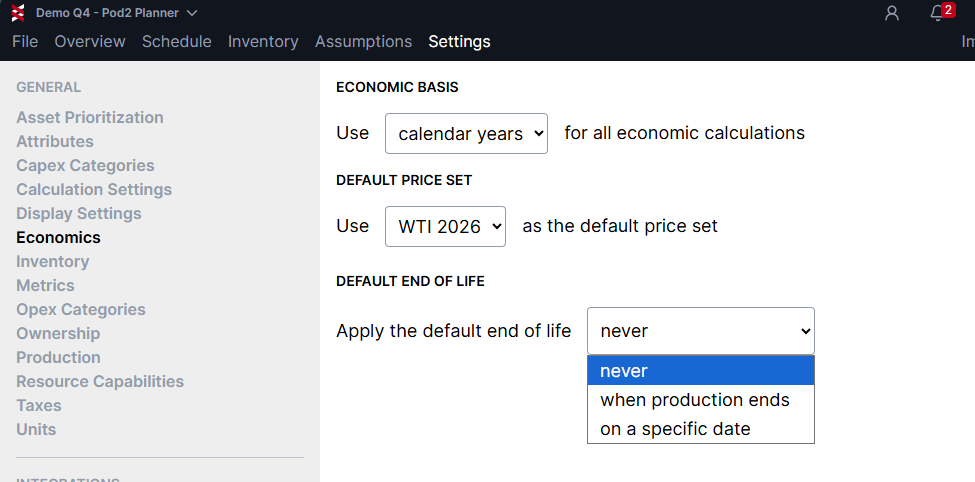
To control the timing of abandonment capital spend, Planner allows you to set a default for all wells in a plan. You can find these option under Settings > Economics > Default End of Life
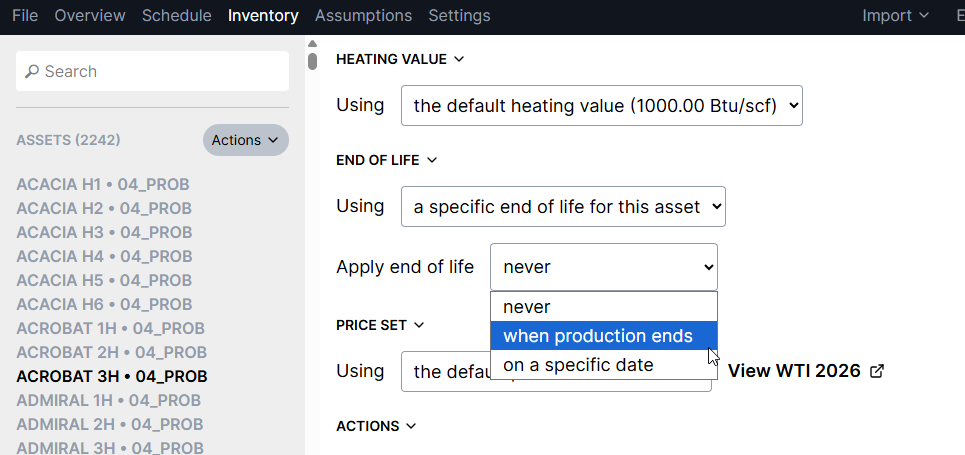
You can override the default and change this setting for individual assets if needed in the Inventory section:
To model the capital costs associated with P&A, you can add a category to a Capex Model, and set the "source" to reference the "end of life" condition. This will automatically schedule capex spend based on the timing assumptions you defined. You also have the option to offset the timing by a number of days/months from the end of life date.
