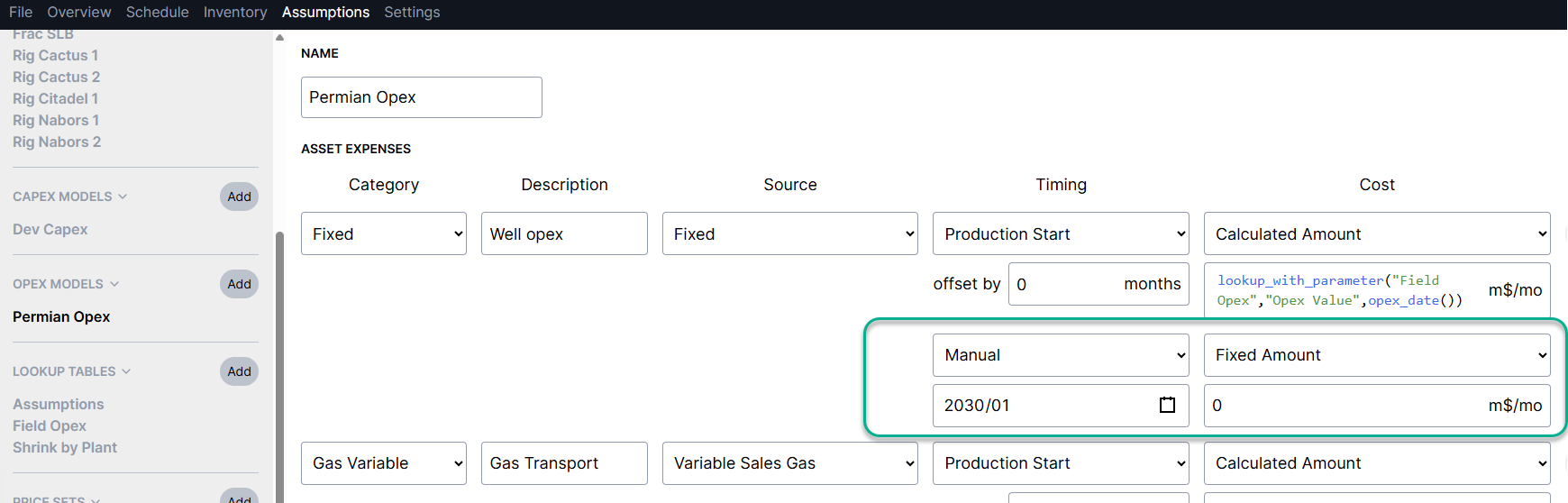
OpEx - Lookup by Date Examples
Let's say you have monthly fixed operating costs that change over time, and you'd like to use a lookup table to apply these by Area. Below are two examples, one where fixed costs are applied to each asset that matches an Area, and the second shows an Area level cost that is then allocated to each asset in the Area.
Example 1: Asset level costs by Area and date
In this example, each asset will incur a monthly fixed cost based on the matching Area and date found in the "Field Opex" table:
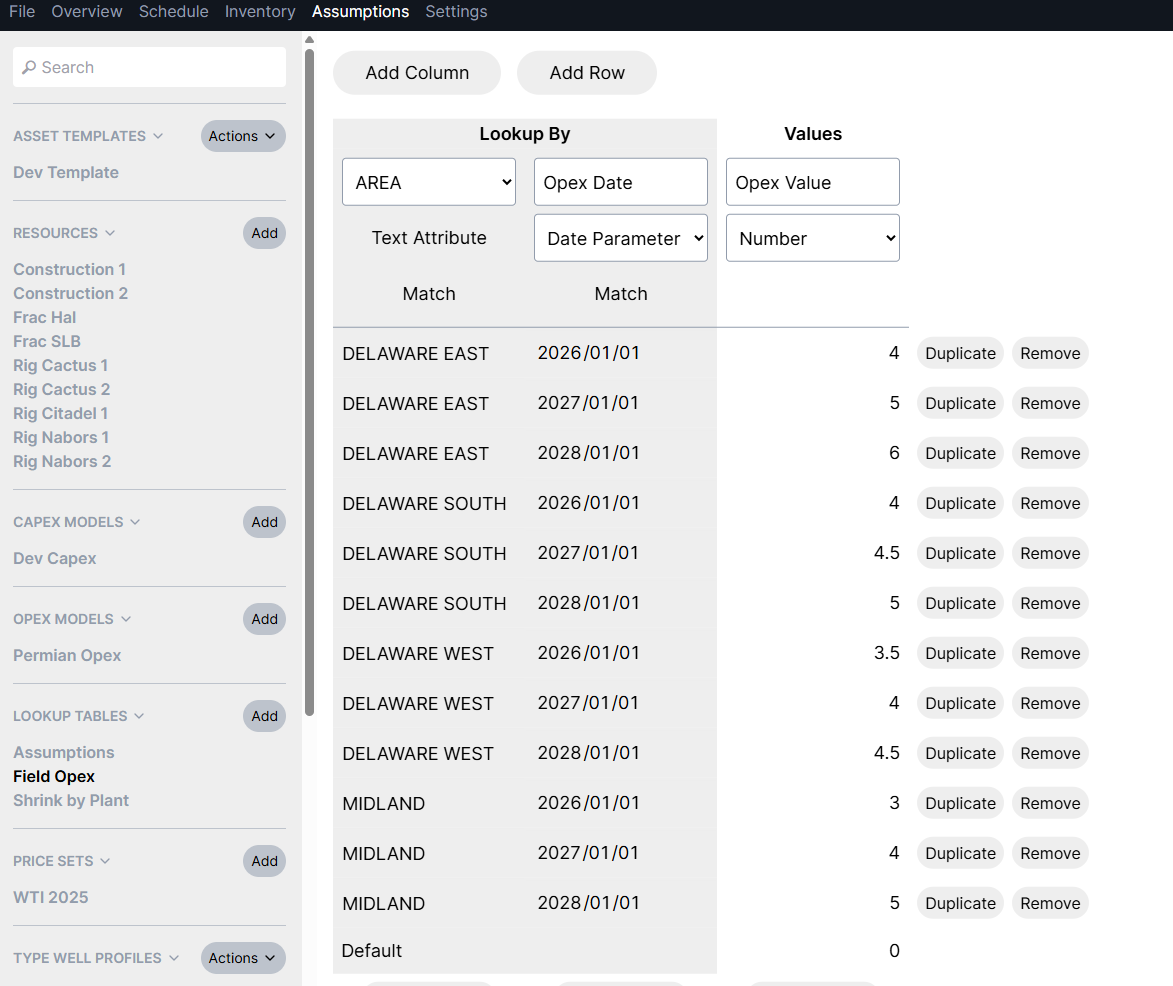
Table with Opex Values
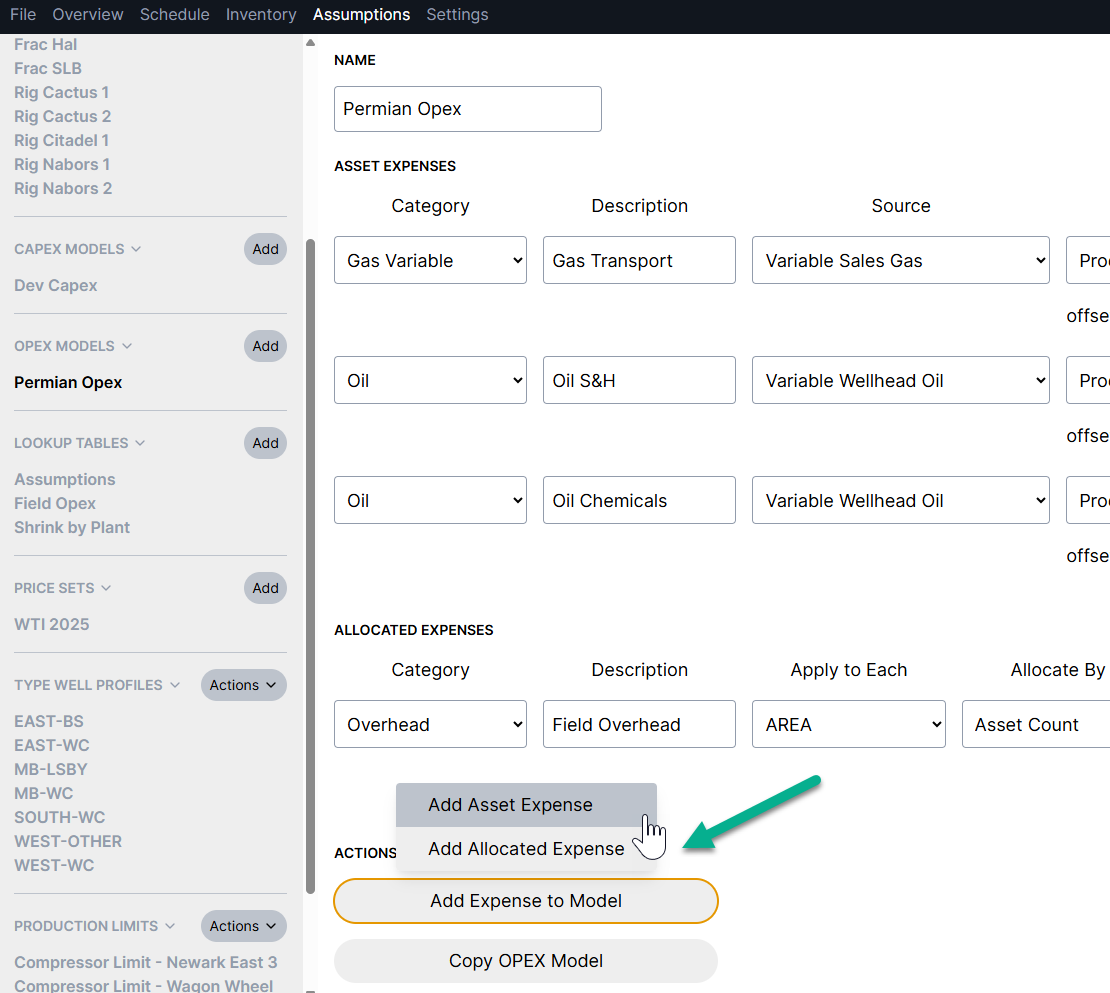
When adding a new expense category, you can choose to add an "Asset Expense" or an "Allocated Expense". Example 1 is using an "Asset Expense".
Using this formula in the Opex model: lookup_with_parameter("Field Opex","Opex Value",opex_date())
The cost will end in 2030 with the Manual date entry
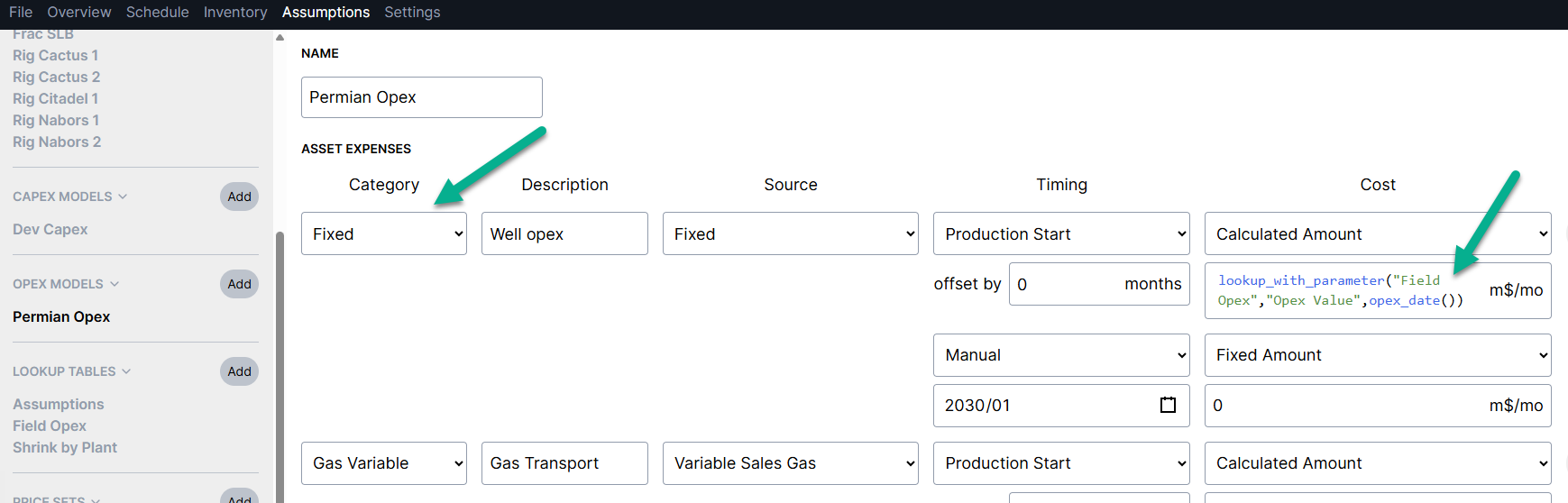
Opex Model - Asset Expense Calculation
Example 2: Allocated costs:
In the second example, each each Area level cost will be allocated across all assets with matching Areas. Costs can be allocated by well count or by BOE:
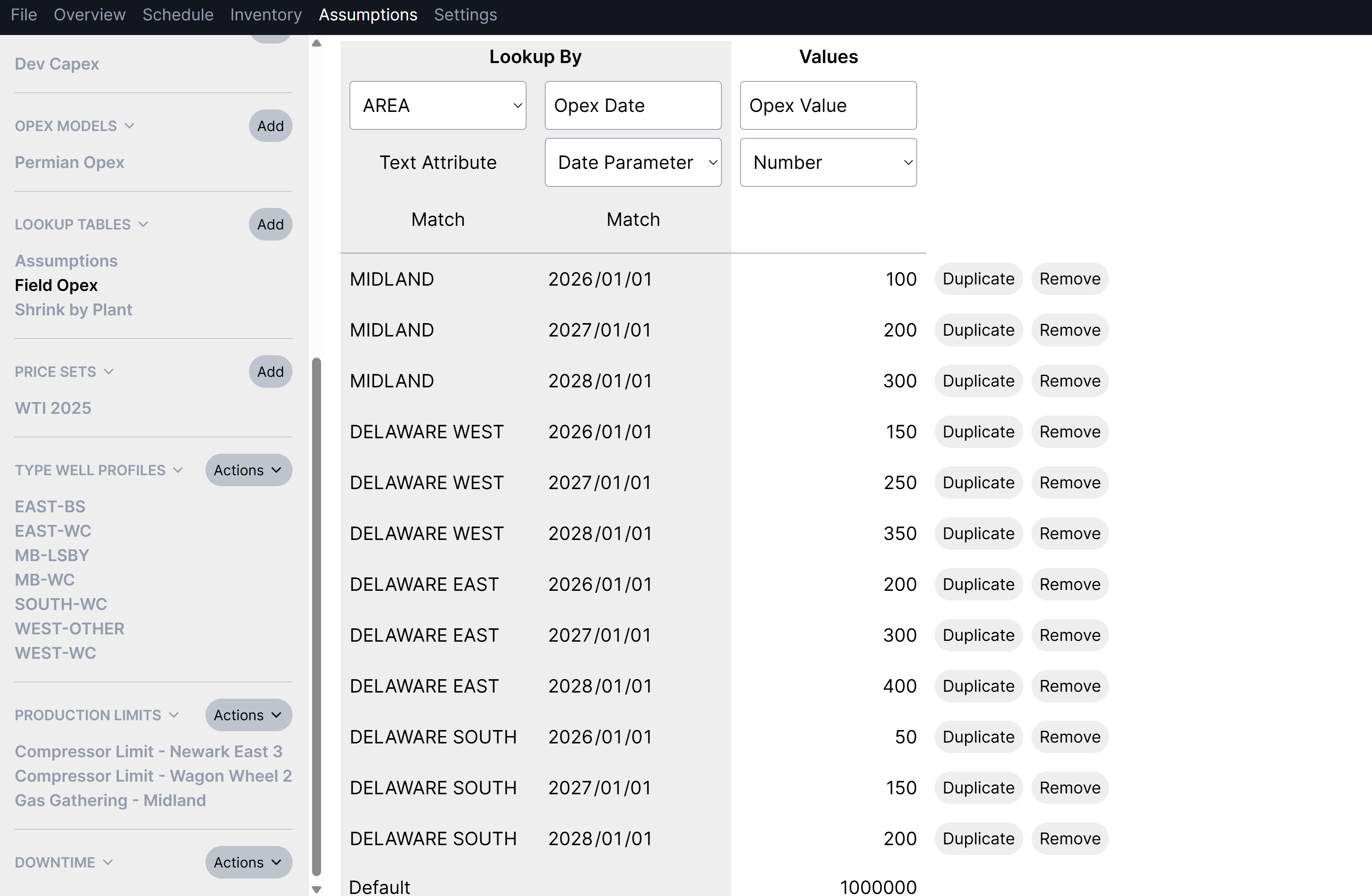
Table with Opex Values
Using the same formula as the previous example, but using an "Allocated Expense" type entry: lookup_with_parameter("Field Opex","Opex Value",opex_date())
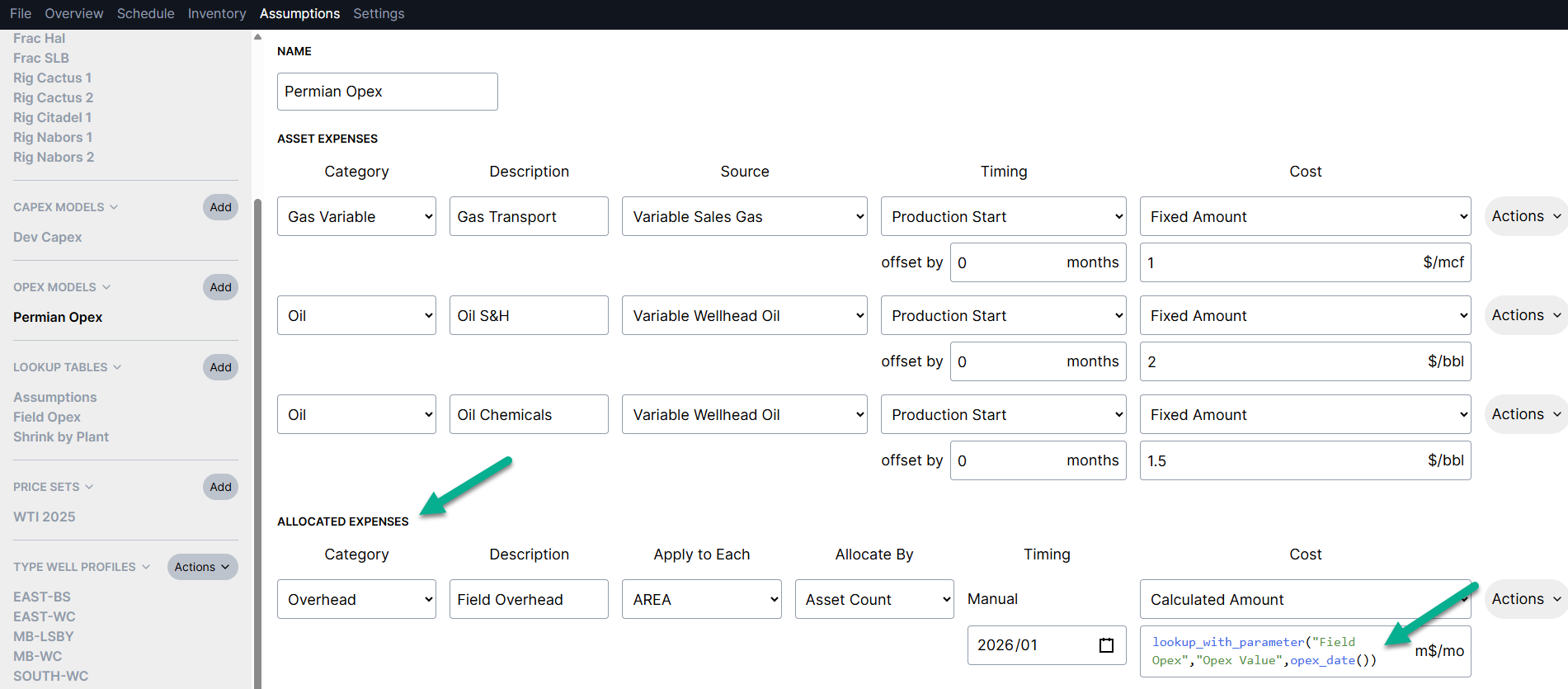
Opex Model - Allocated Expense Calculation
Note: For allocated expenses, you must use a "manual" start date for timing in the Opex Model
Tip:
If you'd like to end the cost on a certain date you can do this in one of two ways:
Include a row in the lookup table with the date where the cost should end, and apply a zero for the value
Add a new line in the opex model with timing set to "manual", apply the date and zero for the value