OpEx Models
Opex modeling enables you to see additional economic metrics (live!) as you make changes to your scenarios, so you can better understand how your cash flow profile is affected.
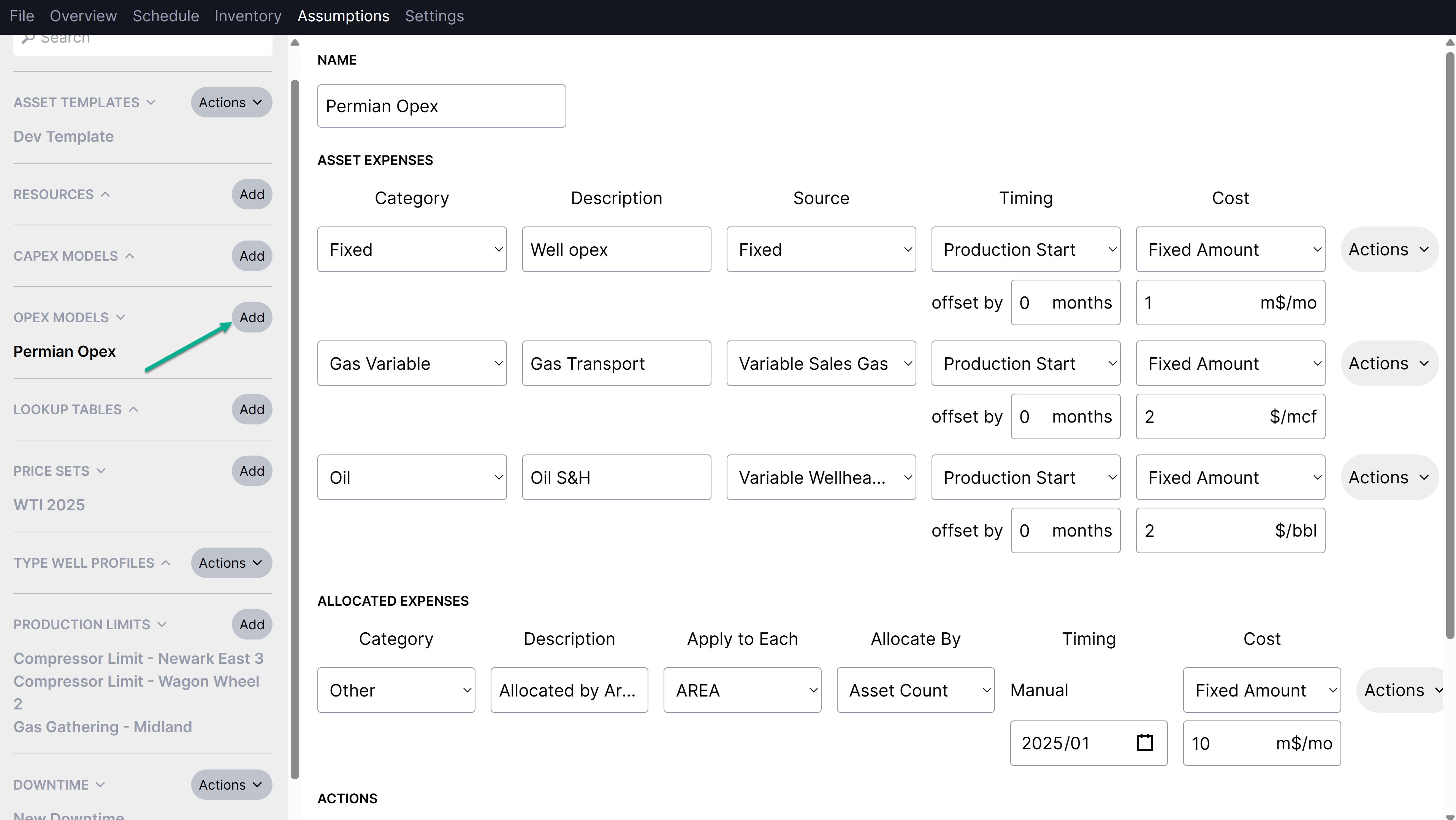
You can add opex models under the Assumptions tab in the same way that you'd add capex models. Costs can be applied at the asset/well level, or they can be allocated to assets that match a specified attribute like Area.
Asset expenses inputs include:
Category: how the expenses should be grouped together in results (same as capex)
Description: an optional name for tracking (same as capex)
Source: whether the expense is a fixed cost or a variable cost associated with a specific product
Timing: when to start applying the expense, relative to production or on a specific date
Cost: either a fixed amount or calculated amount
Allocated expenses inputs include:
Category: how the expenses should be grouped together in results (same as capex)
Description: an optional name for tracking (same as capex)
Apply to each: uses attributes to specify which assets will incur the cost
Allocate by: specifies whether costs are allocated by well count or BOE
Timing: when to start applying the expense, relative to production or on a specific date
Cost: either a fixed amount or calculated amount
Opex models currently require production to exist on the well using the opex model. This is a temporary limitation because the Planner uses the end of the production forecast to determine when to end the expense. This limitation will be removed in the future once the Planner includes other options to control the expense end (e.g., based on operating income, manual dates, etc.).
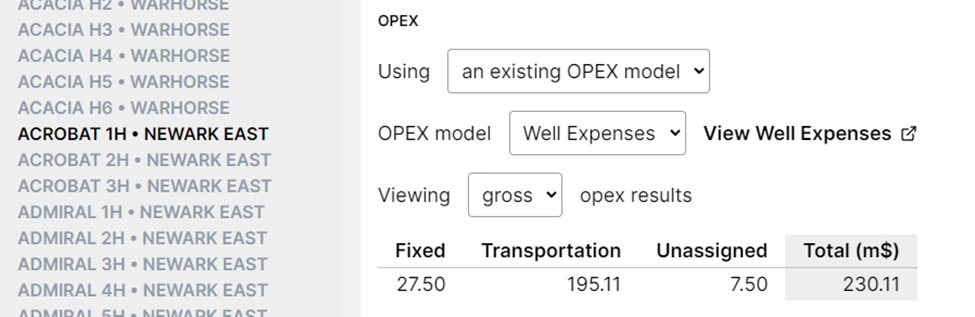
In the Inventory tab, you can select which opex model to use for each well (just like capex and production). This also provides a summary of the total opex as a quick way to check that the well costs are in the range you'd expect.
You can assign opex models in bulk using the Excel headers import.
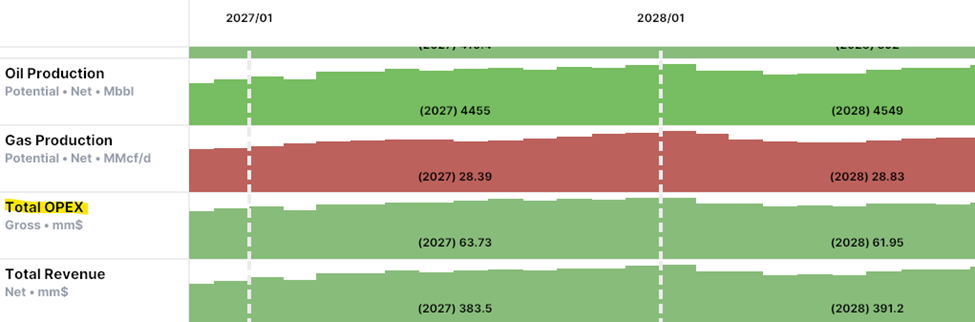
When you start using opex in your plans, a new opex metric will be added to the schedule view. This works like the other economic metrics, and you can switch between gross and net results.
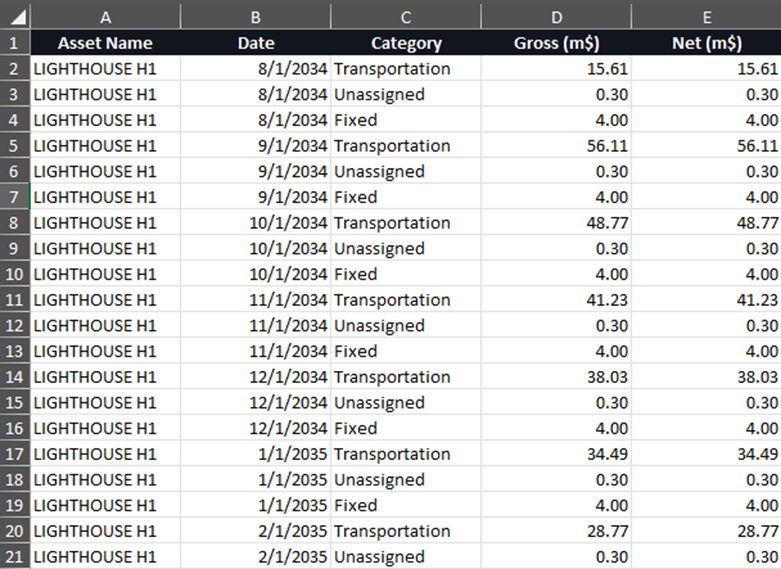
Opex results are also included in the Excel, Spotfire and Parquet exports: