Excel Integration | Bulk Exports
In addition to direct integrations, we make it easy to access data via Excel exports. All data is exported at the asset (well) level so that you can slice and dice as-needed in your BI tool of choice.
An Excel file with your plan data will open automatically once you select an export.
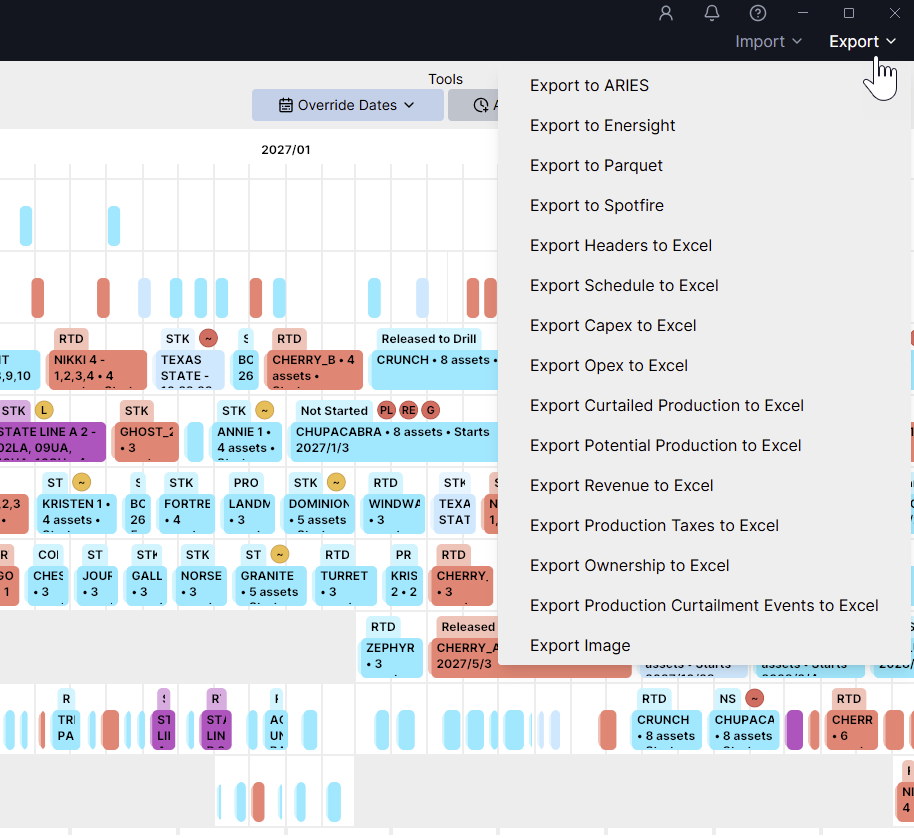
Current options for export include:
Headers
Schedule
Capex
Opex
Production (Curtailed & Potential)
Revenue
Production Taxes
Ownership
Curtailment Events
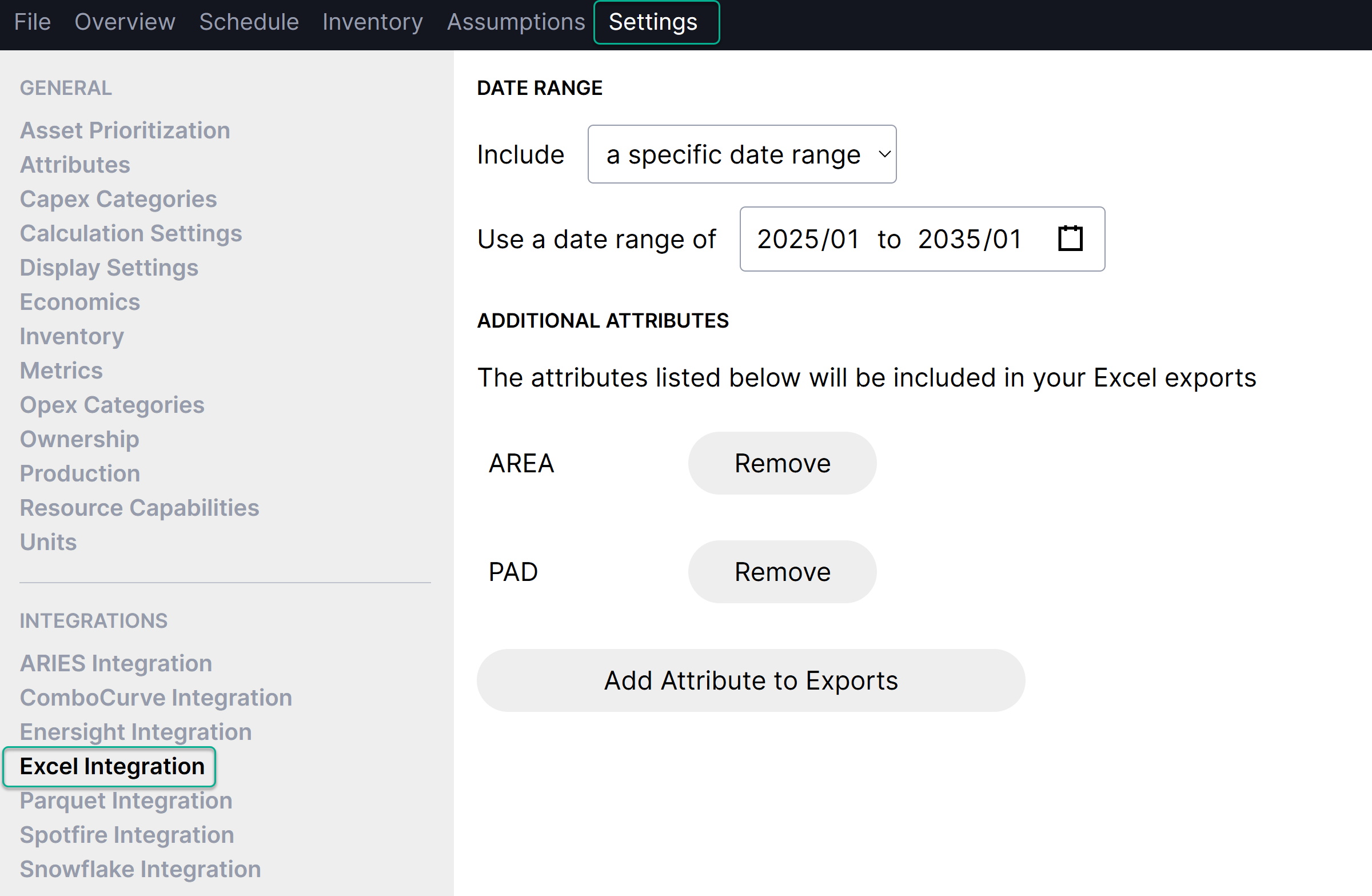
You can include attributes in any of the exports. Go to Settings > Integrations > Excel Integration to choose which attributes to include.
You can also specify the date range for exports, which is especially useful for large production and opex data sets that can exceed Excel's data limits.
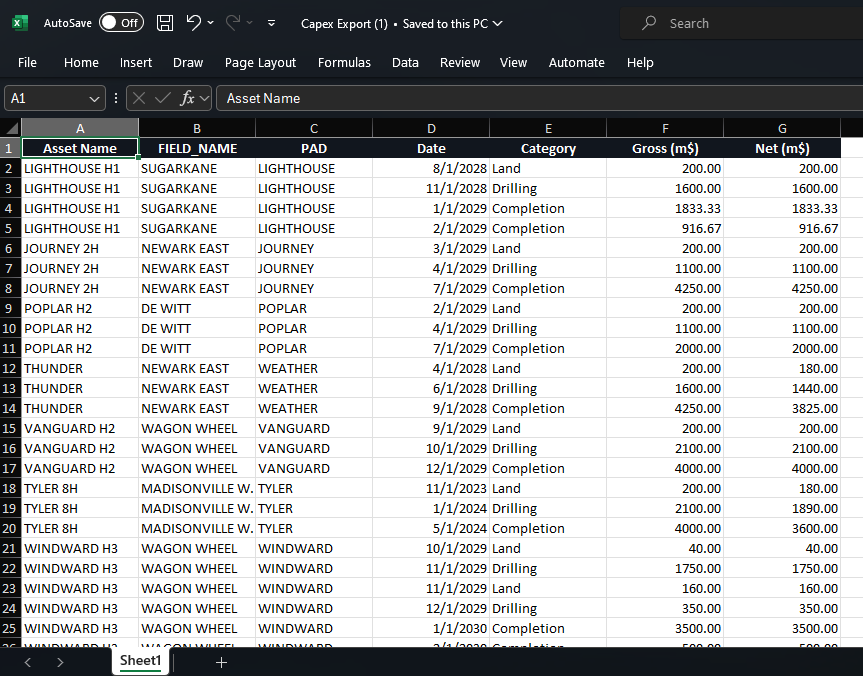
Example Capex export: